How to Recover Deleted Photos from an SD Card
A mistaken delete or format can make photos disappear from an SD card, but it does not always mean every image has been immediately erased. The safest first step is simple: stop taking pictures and do not use the card for anything else. New camera files, thumbnails, or other writes can occupy space that deleted photos once used.
Protect the card first
Remove the card from the camera after the camera has finished writing and power it down normally. Do not take more photos, record video, format the card, or let a computer repair its file system. If the card has a lock tab, setting it to locked may help prevent ordinary writes with some readers, though it is not a substitute for careful handling and does not make a failing card safe.
Do not keep inserting and removing a card that disconnects or reports changing capacity. These symptoms may indicate a hardware or connection problem. If the pictures matter greatly, professional recovery advice is safer than repeated experiments. Recovery software reads the source; it does not repair physically damaged flash memory.
Scan without changing the source
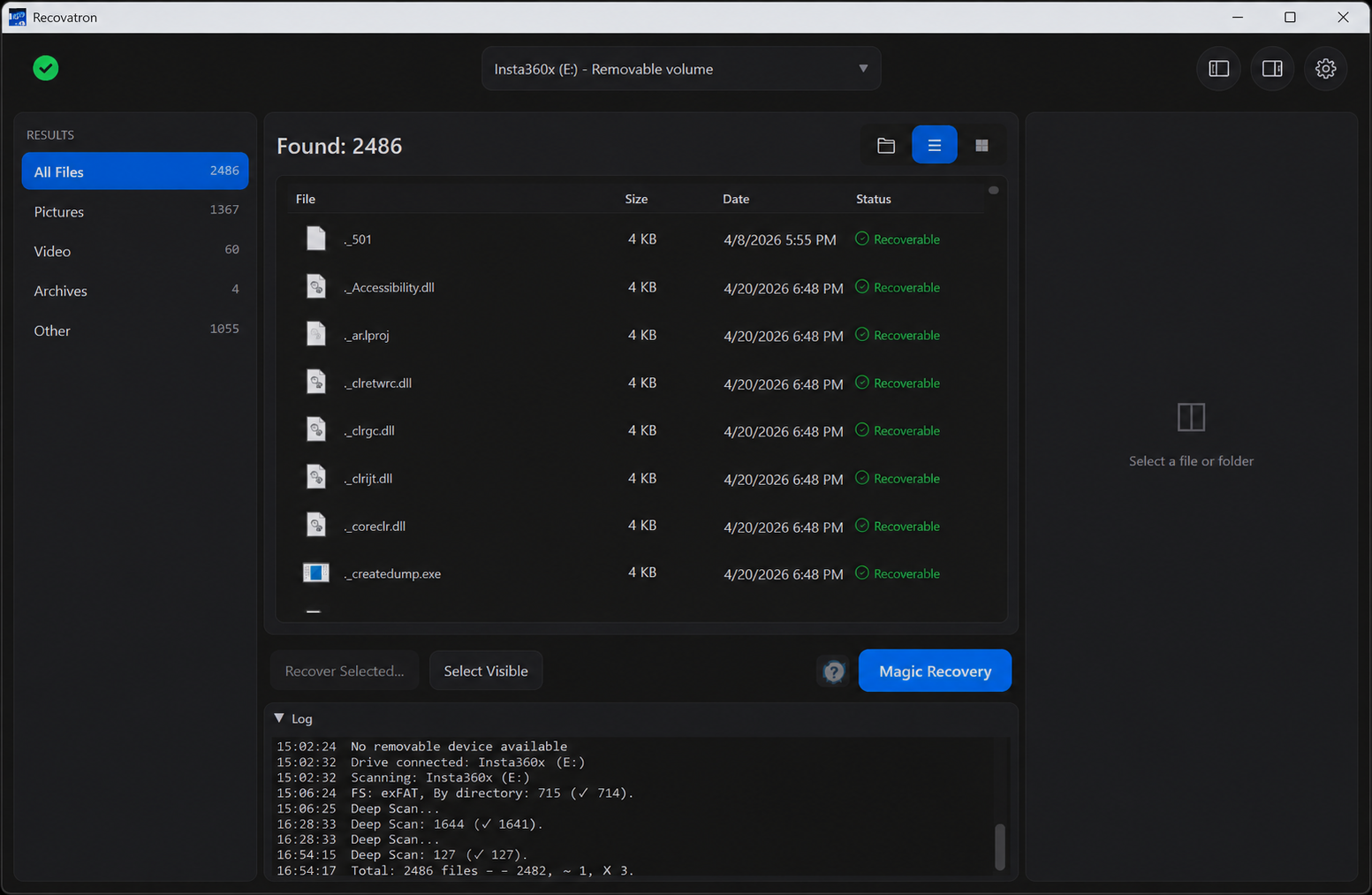
Use a reliable card reader and connect the SD card to a Windows or macOS computer. Recovatron can scan supported removable media. Select the card itself as the source and begin the scan. If access is denied, Windows may require elevated access. On macOS, Full Disk Access may be required for a scan of external media; follow the system's instructions, then restart the app if requested.
FAT32 and exFAT recovery engines can use remaining file-system information to locate deleted entries. When directory metadata is unavailable, raw signature scanning can search for recognizable image content. Signature-based results may be assigned generic names and may not preserve folders. The scan can also find incomplete files or content unrelated to the photo you want, so treat results as candidates rather than proof of a complete image.
Check photos and choose a destination
Look for the expected file types, names, approximate sizes, and dates when shown. A preview can help assess whether an image is recognizable, but a thumbnail does not prove that the full-resolution file is intact. Save a small selection first if you want to check the output before recovering more.
Before using Magic Recovery's automatic save, choose a destination on a different physical drive from the SD card. This might be the computer's internal storage or a separate external drive. Saving recovered files to the source card could overwrite other deleted photographs. Automatic recovery saves available results to the destination you choose. You can instead select a few files manually for a more targeted recovery.
If the card was formatted or the camera still has copies
A quick format may leave some image data behind, but results depend on what happened afterward and which areas were reused. A full erase, continued shooting, or corruption can reduce what remains. Do not format the card again in the hope of improving results. Check whether the camera has a second card slot, a phone transfer, cloud photo backup, or a computer import; a safe existing copy is usually the best recovery.
For related instructions, see camera video recovery, safe recovery after accidental deletion, or SD card recovery on Windows. Get the app at download or ask for help via support.
Frequently asked questions
Can deleted photos be recovered after I took more pictures?
Some may remain, but new files can overwrite deleted photo data. Stop using the card and scan it promptly; results depend on which storage areas were reused.
Does recovery restore camera filenames and folders?
Sometimes, if the card's directory information remains. Raw signature results may have generic names and no original folder structure.
Where should I save the recovered photos?
Choose a different physical drive before automatic recovery. Do not save to the SD card you are scanning.
Scan your USB drive or memory card
Try Recovatron on Windows or macOS. Choose a separate drive for recovered copies and check a few important files first.
Download RecovatronRelated recovery guides
How to Recover Deleted Files from a USB Drive
What to do after deleting files from a USB flash drive, how to scan it safely, and where to save recovered files.
Read guide →How to Recover Deleted Photos from an SD Card
A careful workflow for deleted camera photos: stop using the card, scan it, inspect matches, and save elsewhere.
Read guide →SD Card Recovery on Windows: A Safe Step-by-Step Guide
How to scan an SD card from Windows without formatting or repairing the source, and how to save results safely.
Read guide →How to Recover Deleted or Missing Camera Videos
A cautious guide to scanning camera cards for deleted video while protecting source footage from further writes.
Read guide →Safe Recovery After Accidental File Deletion
The first steps to take after deleting files, plus practical advice for scanning and saving without overwriting the source.
Read guide →