
Recover deleted files from USB drives and SD cards.
Recovatron scans USB flash drives and SD / memory cards to bring back photos, videos, documents, and more. Fast, native, local — no cloud, no uploads.

What it recovers
Recovatron can bring back the file types people lose most often.
Magic Recovery, in three steps
Magic Recovery automatically finds and recovers files that are still recoverable on your drive. You only pick where to save them — the app handles the rest.
Connect a device
Plug in a USB flash drive or SD / memory card. Recovatron shows a live list of removable sources.
Hit Magic Recovery
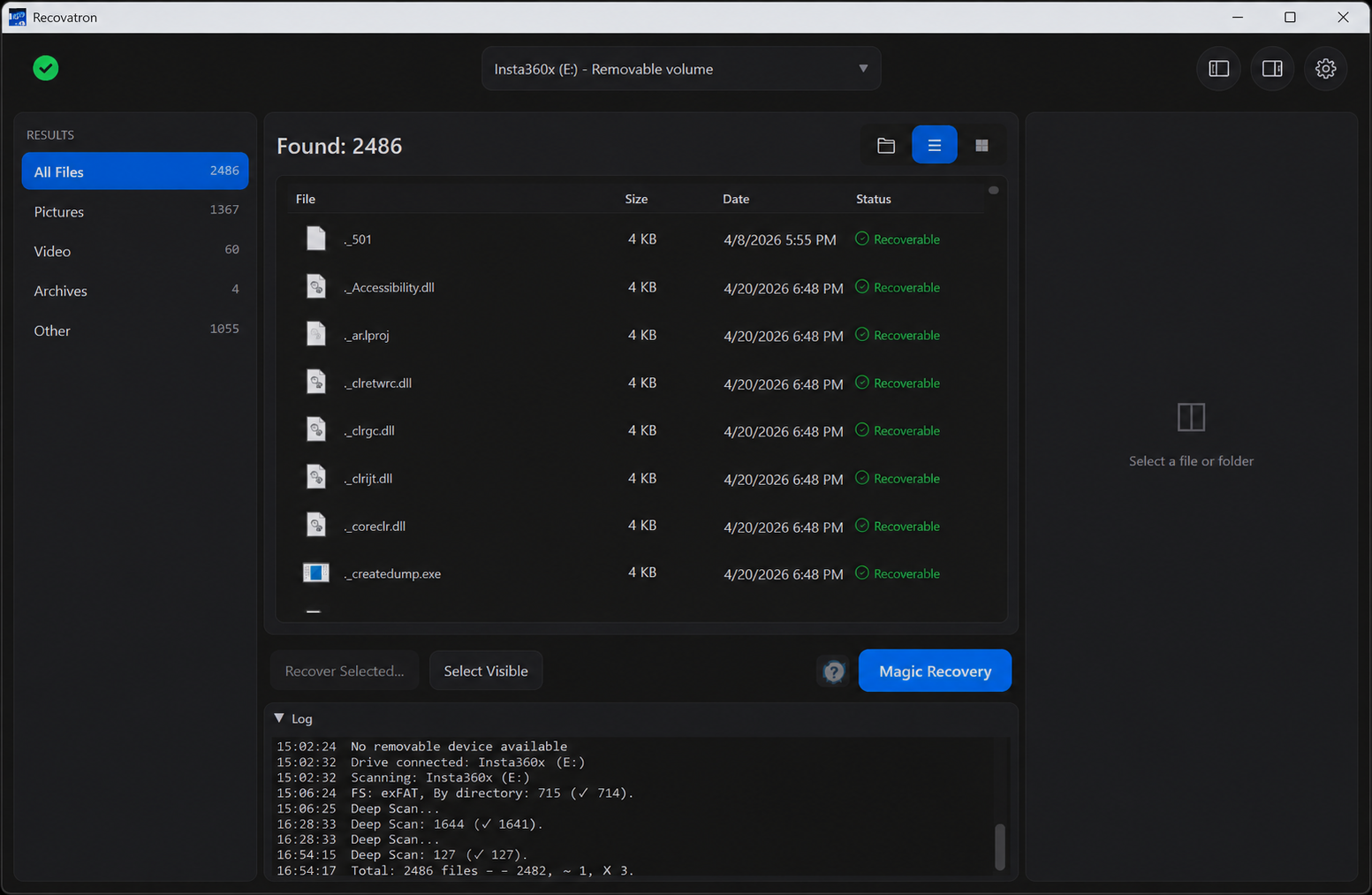
One click starts the scan. Recovatron reads the device safely, in read-only mode, and surfaces recoverable files as it finds them.
Save to another disk
Pick a destination on a different drive. Files save automatically — folder structure preserved where possible.
Always save recovered files to a different physical drive. Another folder or partition on the source device is not a safe destination.
Built natively for your OS
Separate, native builds for Windows and macOS. Fast, secure, and fully local — nothing is uploaded or shared.
- Fast native engine
- Read-only scanning
- Fully local — no cloud
- 18 built-in app languages
- Live preview as files appear
- Retains names and folders when metadata survives
See Recovatron in action
Read a recovery guide
Step-by-step instructions, currently available in English.
How to Recover Deleted Files from a USB Drive
What to do after deleting files from a USB flash drive, how to scan it safely, and where to save recovered files.
Read guide →How to Recover Deleted Photos from an SD Card
A careful workflow for deleted camera photos: stop using the card, scan it, inspect matches, and save elsewhere.
Read guide →SD Card Recovery on Windows: A Safe Step-by-Step Guide
How to scan an SD card from Windows without formatting or repairing the source, and how to save results safely.
Read guide →How to Recover Deleted or Missing Camera Videos
A cautious guide to scanning camera cards for deleted video while protecting source footage from further writes.
Read guide →Safe Recovery After Accidental File Deletion
The first steps to take after deleting files, plus practical advice for scanning and saving without overwriting the source.
Read guide →Ready to recover?
Try it free: scan a supported USB drive or memory card and inspect the results. The trial allows up to 3 recovered files within a total of 100 MB. A one-time license unlocks unlimited recovery.